New Event RSVP enhancements that make planning simple

Jan 28, 2026
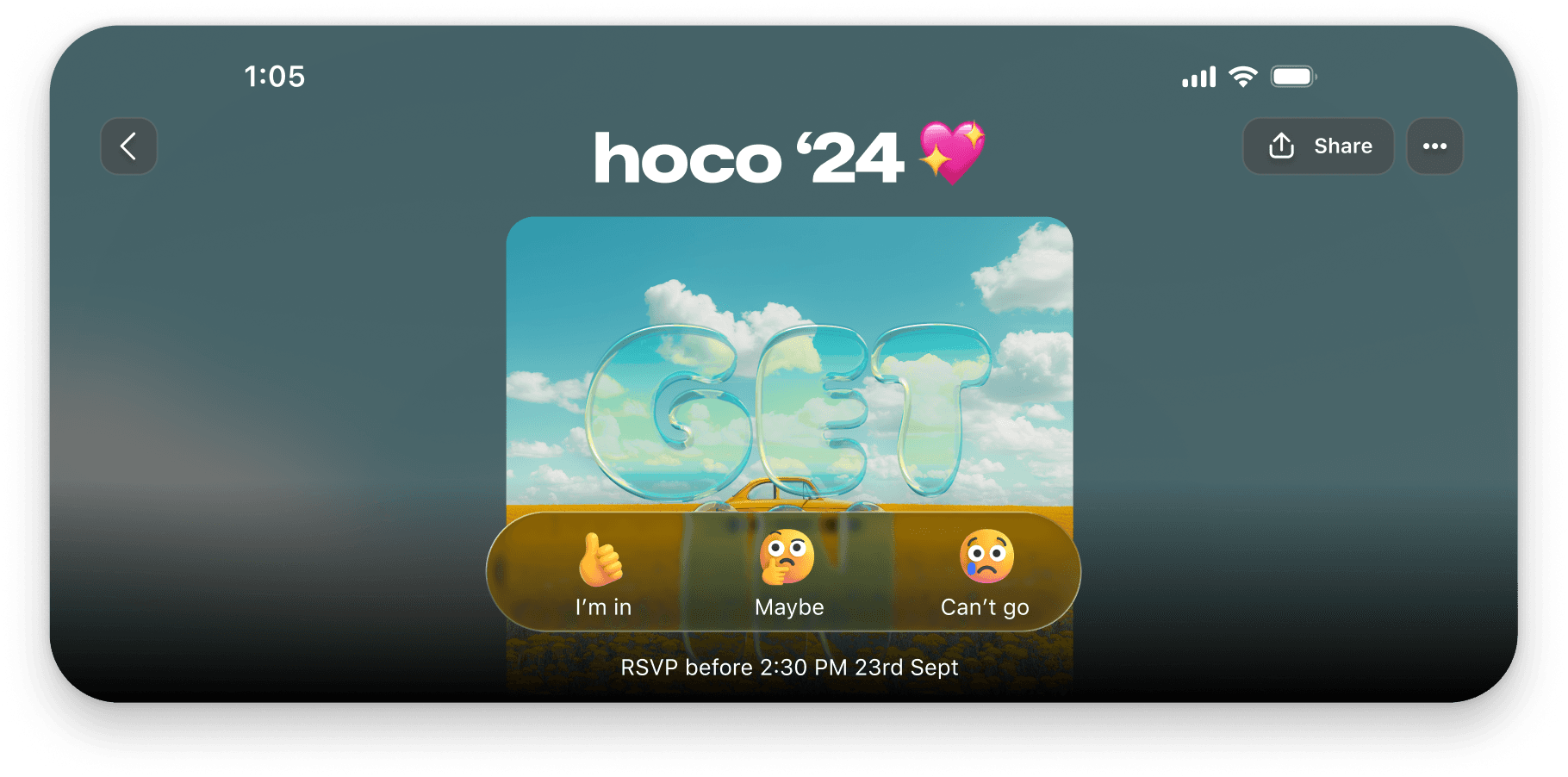
Planning an event comes with enough uncertainty. Your tools should not add to it. Today, we are rolling out two updates that make organizing gatherings in GroupMe easier, clearer, and more flexible for everyone:

"Maybe" is now a RSVP option

Export your attendee list directly to your device

Whether you're hosting a backyard party or coordinating a large community event, you now have more control and better insight into your guest list.

Give Guests More Flexibility With “Maybe”

Not everyone can commit right away. Plans shift, rides fall through, and schedules change. With our new “Maybe” RSVP option, guests can signal that they might attend without giving a definitive yes or no.

This gives you a more accurate sense of interest and helps you plan for real world attendance. It is especially helpful for events with food, supplies, tickets, or limited space.

Export RSVPs in One Tap

For event hosts running bigger events or anyone who loves extra organization we have added the ability to export your attendee list directly from your event.
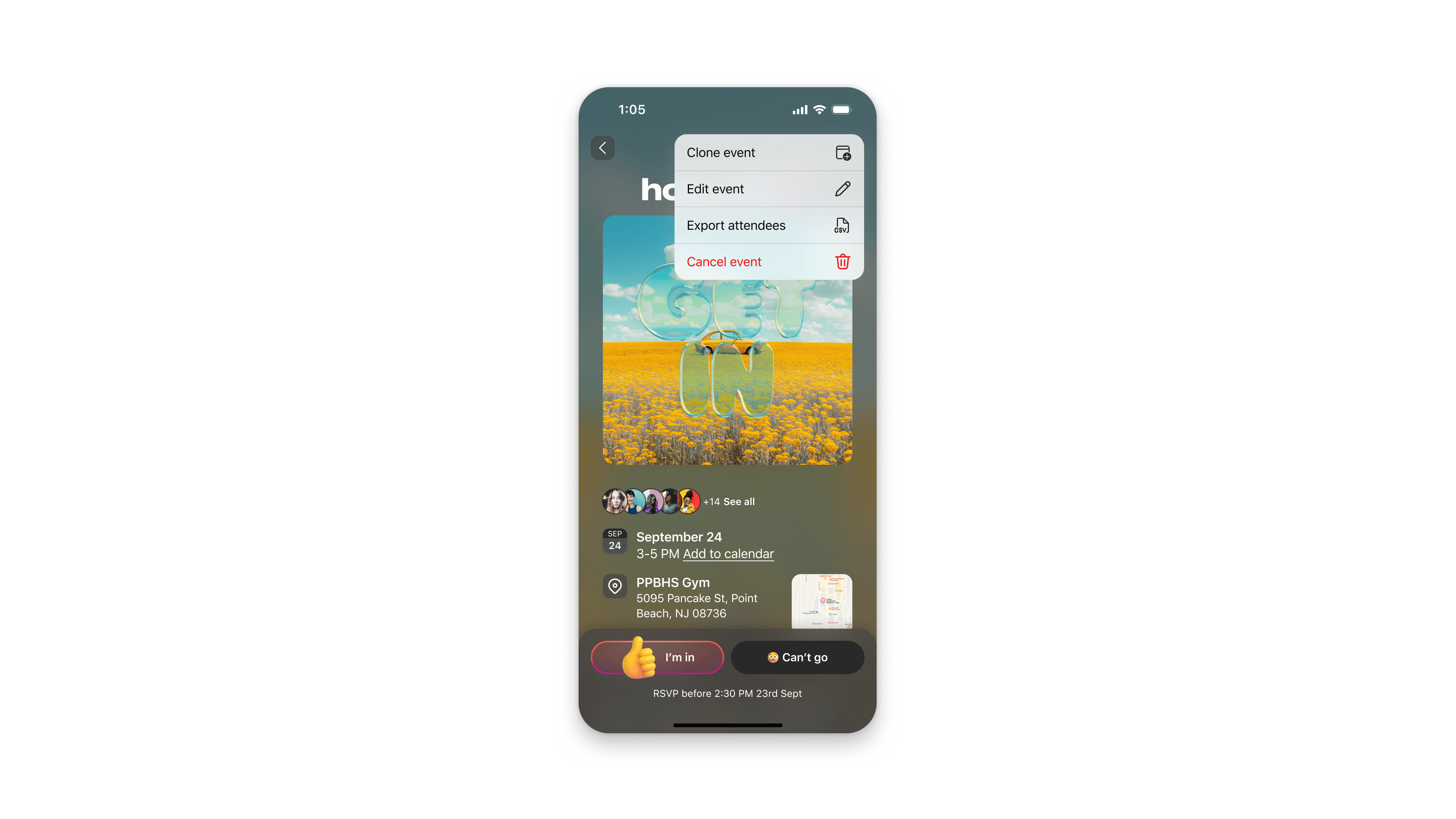
  • Exported lists make it easy to:

  • Print a guest list

  • Check people in at the door

  • Track attendance offline

  • Share the list with co hosts or staff

  • Sort and manage RSVPs in your favorite spreadsheet app

If you're hosting a concert meetup, volunteer shift, sports event, club meeting, or any gathering with lots of moving parts, this feature gives you the structure you need.

Perfect for Every Type of Host

These improvements support the way people actually plan and gather today:

College clubs and campus organizers: Track interest, plan resources, and share exportable lists with your team.

Coaches and team parents: Know who is showing up to practice or game day.

Event planners and community leaders: Keep clean records and check in sheets.

Creators and casual hosts: Use “Maybe” RSVPs to gauge turnout for home hangouts, birthday parties, dinners, and more.

If your event brings people together, GroupMe is ready to make it simple.

Planning an event comes with enough uncertainty. Your tools should not add to it. Today, we are rolling out two updates that make organizing gatherings in GroupMe easier, clearer, and more flexible for everyone:

"Maybe" is now a RSVP option

Export your attendee list directly to your device

Whether you're hosting a backyard party or coordinating a large community event, you now have more control and better insight into your guest list.

Give Guests More Flexibility With “Maybe”

Not everyone can commit right away. Plans shift, rides fall through, and schedules change. With our new “Maybe” RSVP option, guests can signal that they might attend without giving a definitive yes or no.

This gives you a more accurate sense of interest and helps you plan for real world attendance. It is especially helpful for events with food, supplies, tickets, or limited space.

Export RSVPs in One Tap

For event hosts running bigger events or anyone who loves extra organization we have added the ability to export your attendee list directly from your event.

  • Exported lists make it easy to:

  • Print a guest list

  • Check people in at the door

  • Track attendance offline

  • Share the list with co hosts or staff

  • Sort and manage RSVPs in your favorite spreadsheet app

If you're hosting a concert meetup, volunteer shift, sports event, club meeting, or any gathering with lots of moving parts, this feature gives you the structure you need.

Perfect for Every Type of Host

These improvements support the way people actually plan and gather today:

College clubs and campus organizers: Track interest, plan resources, and share exportable lists with your team.

Coaches and team parents: Know who is showing up to practice or game day.

Event planners and community leaders: Keep clean records and check in sheets.

Creators and casual hosts: Use “Maybe” RSVPs to gauge turnout for home hangouts, birthday parties, dinners, and more.

If your event brings people together, GroupMe is ready to make it simple.

Planning an event comes with enough uncertainty. Your tools should not add to it. Today, we are rolling out two updates that make organizing gatherings in GroupMe easier, clearer, and more flexible for everyone:

"Maybe" is now a RSVP option

Export your attendee list directly to your device

Whether you're hosting a backyard party or coordinating a large community event, you now have more control and better insight into your guest list.

Give Guests More Flexibility With “Maybe”

Not everyone can commit right away. Plans shift, rides fall through, and schedules change. With our new “Maybe” RSVP option, guests can signal that they might attend without giving a definitive yes or no.

This gives you a more accurate sense of interest and helps you plan for real world attendance. It is especially helpful for events with food, supplies, tickets, or limited space.

Export RSVPs in One Tap

For event hosts running bigger events or anyone who loves extra organization we have added the ability to export your attendee list directly from your event.

  • Exported lists make it easy to:

  • Print a guest list

  • Check people in at the door

  • Track attendance offline

  • Share the list with co hosts or staff

  • Sort and manage RSVPs in your favorite spreadsheet app

If you're hosting a concert meetup, volunteer shift, sports event, club meeting, or any gathering with lots of moving parts, this feature gives you the structure you need.

Perfect for Every Type of Host

These improvements support the way people actually plan and gather today:

College clubs and campus organizers: Track interest, plan resources, and share exportable lists with your team.

Coaches and team parents: Know who is showing up to practice or game day.

Event planners and community leaders: Keep clean records and check in sheets.

Creators and casual hosts: Use “Maybe” RSVPs to gauge turnout for home hangouts, birthday parties, dinners, and more.

If your event brings people together, GroupMe is ready to make it simple.

Getting Started with GroupMe

Get the app: Download the GroupMe App or navigate to GroupMe.com 

Sign Up or Log In: Go to GroupMe and sign up for an account if you don’t have one. If you already have an account, simply log in. 

Create a Group Chat or Event Group: Once logged in, create a new "Event Group". This will be the central hub for all communications about your event.

Invite Members: Send out invites to your community to collect RSVPs for your event. When they RSVP, they'll automatically be added to your event group chat. You can do this directly within the app by sharing a join link or entering in their phone number.

Getting Started with GroupMe

Get the app: Download the GroupMe App or navigate to GroupMe.com 

Sign Up or Log In: Go to GroupMe and sign up for an account if you don’t have one. If you already have an account, simply log in. 

Create a Group Chat or Event Group: Once logged in, create a new "Event Group". This will be the central hub for all communications about your event.

Invite Members: Send out invites to your community to collect RSVPs for your event. When they RSVP, they'll automatically be added to your event group chat. You can do this directly within the app by sharing a join link or entering in their phone number.

Getting Started with GroupMe

Get the app: Download the GroupMe App or navigate to GroupMe.com 

Sign Up or Log In: Go to GroupMe and sign up for an account if you don’t have one. If you already have an account, simply log in. 

Create a Group Chat or Event Group: Once logged in, create a new "Event Group". This will be the central hub for all communications about your event.

Invite Members: Send out invites to your community to collect RSVPs for your event. When they RSVP, they'll automatically be added to your event group chat. You can do this directly within the app by sharing a join link or entering in their phone number.

✦ EST 2010 ✦ NEW YORK CITY