Migrate your group chat community to GroupMe in minutes

Feb 10, 2026

Your community deserves better than a complicated setup just to talk to each other.

Maybe you've been running your group on a platform that requires servers, channels, roles, and permissions. Maybe you've watched new members bounce because the onboarding felt like a part-time job. Or maybe you just found out your chat app now wants a face scan before you can send a "good morning" text.

Here's the good news. Moving your community to a simpler, more accessible group chat app is way easier than you think. GroupMe is a free community chat app built for exactly this: getting your people into one place, fast, with zero friction. No servers to configure. No channels to organize. No face scans to complete. Just create a group, share a link, and start chatting.

Let's walk through why so many communities are making the switch to GroupMe, and how yours can do it in about five minutes.

Your community deserves better than a complicated setup just to talk to each other.

Maybe you've been running your group on a platform that requires servers, channels, roles, and permissions. Maybe you've watched new members bounce because the onboarding felt like a part-time job. Or maybe you just found out your chat app now wants a face scan before you can send a "good morning" text.

Here's the good news. Moving your community to a simpler, more accessible group chat app is way easier than you think. GroupMe is a free community chat app built for exactly this: getting your people into one place, fast, with zero friction. No servers to configure. No channels to organize. No face scans to complete. Just create a group, share a link, and start chatting.

Let's walk through why so many communities are making the switch to GroupMe, and how yours can do it in about five minutes.

Your community deserves better than a complicated setup just to talk to each other.

Maybe you've been running your group on a platform that requires servers, channels, roles, and permissions. Maybe you've watched new members bounce because the onboarding felt like a part-time job. Or maybe you just found out your chat app now wants a face scan before you can send a "good morning" text.

Here's the good news. Moving your community to a simpler, more accessible group chat app is way easier than you think. GroupMe is a free community chat app built for exactly this: getting your people into one place, fast, with zero friction. No servers to configure. No channels to organize. No face scans to complete. Just create a group, share a link, and start chatting.

Let's walk through why so many communities are making the switch to GroupMe, and how yours can do it in about five minutes.

Why Moving Your Community Feels So Hard

If you've ever tried to migrate your community to a new chat app, you know the feeling. It's stressful. You're worried about losing people along the way, and the setup alone feels like it could take a whole weekend.

That's because most platforms make things unnecessarily complicated. You've got servers to build. Channels to name and organize. Roles and permissions to assign. Bots to install. Welcome screens to customize. And by the time you've got everything configured, half your group has already given up.

Then there's the verification barrier. Some platforms now require face scans, government ID uploads, or biometric data just to let people in the door. That's not just inconvenient. It's a dealbreaker for a lot of people who simply want to chat with their community without handing over personal data.

The result? Your community stays stuck on a platform that doesn't fit anymore, just because moving feels too hard.

It doesn't have to be that way.

Why Moving Your Community Feels So Hard

If you've ever tried to migrate your community to a new chat app, you know the feeling. It's stressful. You're worried about losing people along the way, and the setup alone feels like it could take a whole weekend.

That's because most platforms make things unnecessarily complicated. You've got servers to build. Channels to name and organize. Roles and permissions to assign. Bots to install. Welcome screens to customize. And by the time you've got everything configured, half your group has already given up.

Then there's the verification barrier. Some platforms now require face scans, government ID uploads, or biometric data just to let people in the door. That's not just inconvenient. It's a dealbreaker for a lot of people who simply want to chat with their community without handing over personal data.

The result? Your community stays stuck on a platform that doesn't fit anymore, just because moving feels too hard.

It doesn't have to be that way.

Why Moving Your Community Feels So Hard

If you've ever tried to migrate your community to a new chat app, you know the feeling. It's stressful. You're worried about losing people along the way, and the setup alone feels like it could take a whole weekend.

That's because most platforms make things unnecessarily complicated. You've got servers to build. Channels to name and organize. Roles and permissions to assign. Bots to install. Welcome screens to customize. And by the time you've got everything configured, half your group has already given up.

Then there's the verification barrier. Some platforms now require face scans, government ID uploads, or biometric data just to let people in the door. That's not just inconvenient. It's a dealbreaker for a lot of people who simply want to chat with their community without handing over personal data.

The result? Your community stays stuck on a platform that doesn't fit anymore, just because moving feels too hard.

It doesn't have to be that way.

GroupMe Makes Switching Ridiculously Easy

Here's what switching to GroupMe actually looks like: you create a group. You share a link. People join. That's it.

There are no servers. No channels. No roles. No permissions to figure out. No bots to configure. No complex setup process. GroupMe is a simple group chat app that does exactly what you'd expect, and it does it without the headache.

Creating a new group takes about 30 seconds. Give it a name, tap create, and you've got a home for your community. And we mean any size community. GroupMe supports groups with 10,000+ members, so whether you're running a small book club or a massive gaming community with thousands of people, there's room for everyone.

Need to invite people? Just share the link. Drop it in your current chat, post it on social media, text it to your members, or send it over email. Anyone with that link can join instantly.

That's what makes GroupMe the best group chat app without servers. It strips away all the noise and gives your community a clean, simple place to connect. No manual required.

GroupMe Makes Switching Ridiculously Easy

Here's what switching to GroupMe actually looks like: you create a group. You share a link. People join. That's it.

There are no servers. No channels. No roles. No permissions to figure out. No bots to configure. No complex setup process. GroupMe is a simple group chat app that does exactly what you'd expect, and it does it without the headache.

Creating a new group takes about 30 seconds. Give it a name, tap create, and you've got a home for your community. And we mean any size community. GroupMe supports groups with 10,000+ members, so whether you're running a small book club or a massive gaming community with thousands of people, there's room for everyone.

Need to invite people? Just share the link. Drop it in your current chat, post it on social media, text it to your members, or send it over email. Anyone with that link can join instantly.

That's what makes GroupMe the best group chat app without servers. It strips away all the noise and gives your community a clean, simple place to connect. No manual required.

GroupMe Makes Switching Ridiculously Easy

Here's what switching to GroupMe actually looks like: you create a group. You share a link. People join. That's it.

There are no servers. No channels. No roles. No permissions to figure out. No bots to configure. No complex setup process. GroupMe is a simple group chat app that does exactly what you'd expect, and it does it without the headache.

Creating a new group takes about 30 seconds. Give it a name, tap create, and you've got a home for your community. And we mean any size community. GroupMe supports groups with 10,000+ members, so whether you're running a small book club or a massive gaming community with thousands of people, there's room for everyone.

Need to invite people? Just share the link. Drop it in your current chat, post it on social media, text it to your members, or send it over email. Anyone with that link can join instantly.

That's what makes GroupMe the best group chat app without servers. It strips away all the noise and gives your community a clean, simple place to connect. No manual required.

Everyone Can Join: The SMS + Cross-Platform Advantage

This is where GroupMe really sets itself apart. It's a group chat app that works everywhere.
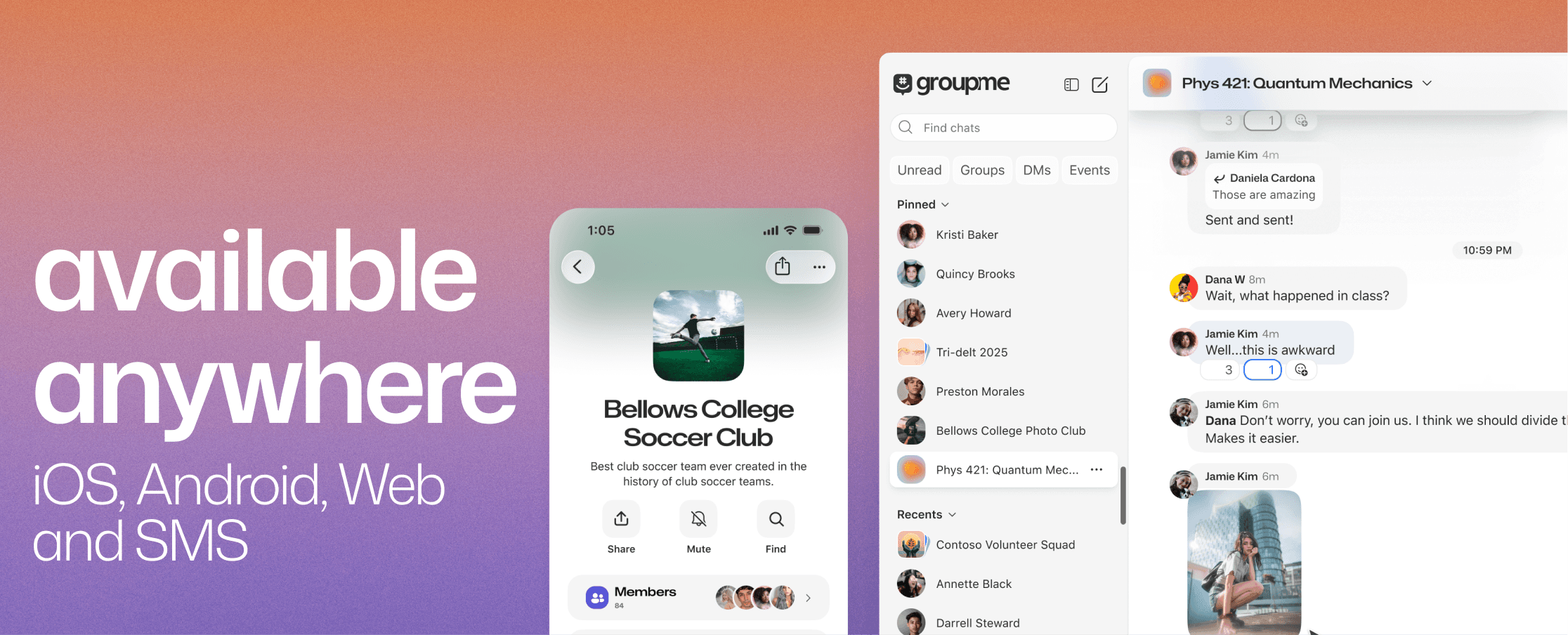
iOS ✔️
Android ✔️
Web browser ✔️
SMS text message ✔️

That last one is a big deal. GroupMe is the only major community chat app that lets people participate through plain text messages, without ever downloading an app. Got someone in your group who uses a flip phone? They're in. A parent who doesn't want another app on their phone? They're in. A member who just prefers texting? Still in.

Nobody gets left behind. That's the whole point.

When you're trying to bring your group chat to GroupMe, you don't have to worry about whether everyone has the right device, the right operating system, or the right app installed. GroupMe is a group chat app that works on SMS, on smartphones, and on desktop browsers. It's a community chat app for all devices, and that kind of flexibility is something other platforms simply can't match.

Other platforms lock out anyone who can't or won't download a specific app. GroupMe opens the door to everyone. It's a discord alternative that works via text message, and that makes all the difference.

Everyone Can Join: The SMS + Cross-Platform Advantage

This is where GroupMe really sets itself apart. It's a group chat app that works everywhere.

iOS ✔️
Android ✔️
Web browser ✔️
SMS text message ✔️

That last one is a big deal. GroupMe is the only major community chat app that lets people participate through plain text messages, without ever downloading an app. Got someone in your group who uses a flip phone? They're in. A parent who doesn't want another app on their phone? They're in. A member who just prefers texting? Still in.

Nobody gets left behind. That's the whole point.

When you're trying to bring your group chat to GroupMe, you don't have to worry about whether everyone has the right device, the right operating system, or the right app installed. GroupMe is a group chat app that works on SMS, on smartphones, and on desktop browsers. It's a community chat app for all devices, and that kind of flexibility is something other platforms simply can't match.

Other platforms lock out anyone who can't or won't download a specific app. GroupMe opens the door to everyone. It's a discord alternative that works via text message, and that makes all the difference.

Everyone Can Join: The SMS + Cross-Platform Advantage

This is where GroupMe really sets itself apart. It's a group chat app that works everywhere.

iOS ✔️
Android ✔️
Web browser ✔️
SMS text message ✔️

That last one is a big deal. GroupMe is the only major community chat app that lets people participate through plain text messages, without ever downloading an app. Got someone in your group who uses a flip phone? They're in. A parent who doesn't want another app on their phone? They're in. A member who just prefers texting? Still in.

Nobody gets left behind. That's the whole point.

When you're trying to bring your group chat to GroupMe, you don't have to worry about whether everyone has the right device, the right operating system, or the right app installed. GroupMe is a group chat app that works on SMS, on smartphones, and on desktop browsers. It's a community chat app for all devices, and that kind of flexibility is something other platforms simply can't match.

Other platforms lock out anyone who can't or won't download a specific app. GroupMe opens the door to everyone. It's a discord alternative that works via text message, and that makes all the difference.

Privacy Without the Hassle

Moving your community is also a chance to upgrade your group's privacy. And GroupMe makes that easy too.

No face scans. No government ID verification. No biometric data collection. GroupMe is a free group chat app, no verification required beyond a simple sign-up.
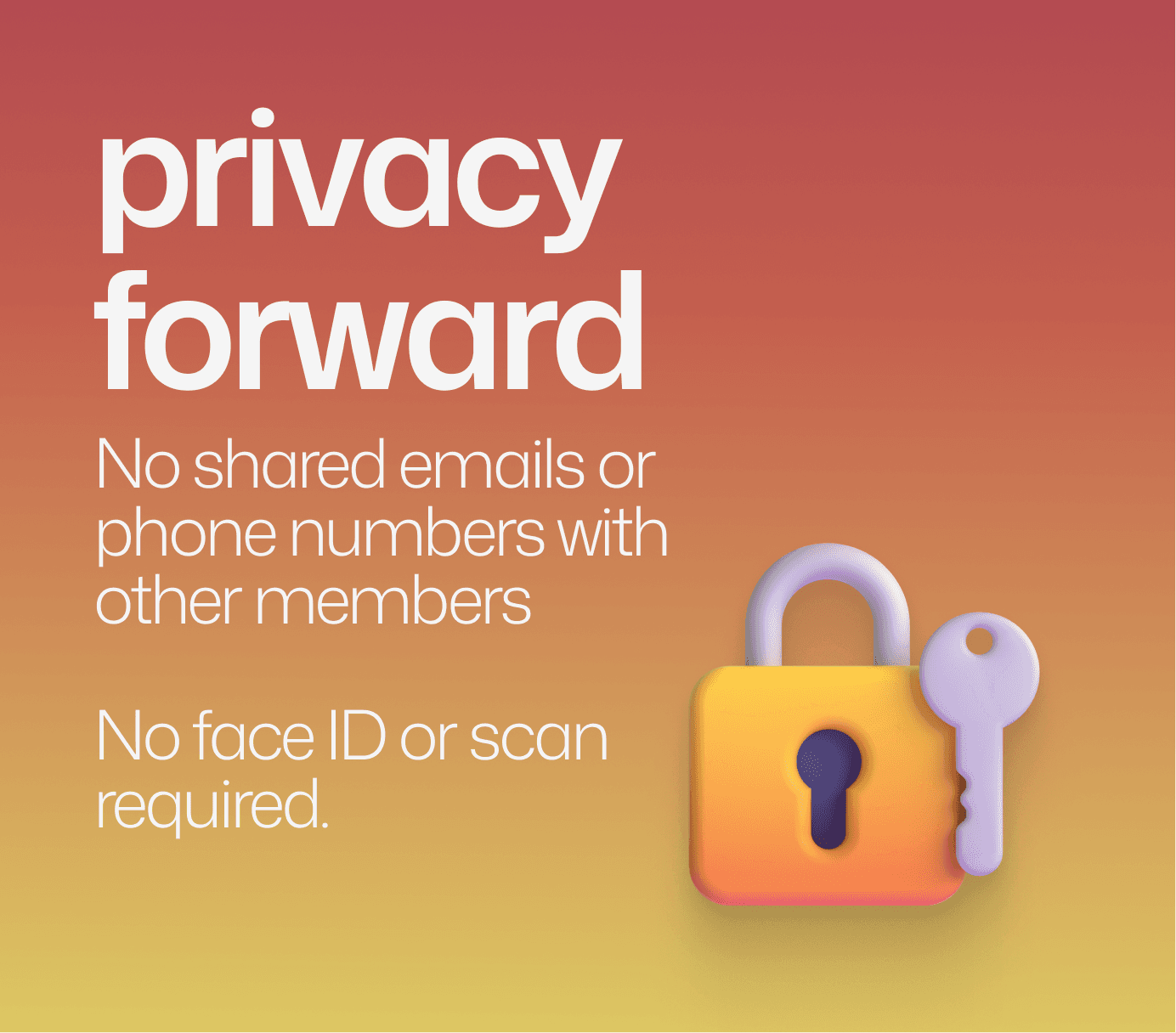
And here's something a lot of people don't realize: other members in your group can't see your phone number or email address. Your contact information stays private. You get to chat with your community without sharing personal details with everyone in the group.

If you're looking for the best group chat app for privacy in 2026, or specifically a discord alternative without face scan requirements, GroupMe delivers. It's private by design, not as a premium add-on.

For a deeper look at how GroupMe handles privacy, check out our companion post: The Best Group Chat App for Privacy: Chat Without Face Scan

Privacy Without the Hassle

Moving your community is also a chance to upgrade your group's privacy. And GroupMe makes that easy too.

No face scans. No government ID verification. No biometric data collection. GroupMe is a free group chat app, no verification required beyond a simple sign-up.

And here's something a lot of people don't realize: other members in your group can't see your phone number or email address. Your contact information stays private. You get to chat with your community without sharing personal details with everyone in the group.

If you're looking for the best group chat app for privacy in 2026, or specifically a discord alternative without face scan requirements, GroupMe delivers. It's private by design, not as a premium add-on.

For a deeper look at how GroupMe handles privacy, check out our companion post: The Best Group Chat App for Privacy: Chat Without Face Scan

Privacy Without the Hassle

Moving your community is also a chance to upgrade your group's privacy. And GroupMe makes that easy too.

No face scans. No government ID verification. No biometric data collection. GroupMe is a free group chat app, no verification required beyond a simple sign-up.

And here's something a lot of people don't realize: other members in your group can't see your phone number or email address. Your contact information stays private. You get to chat with your community without sharing personal details with everyone in the group.

If you're looking for the best group chat app for privacy in 2026, or specifically a discord alternative without face scan requirements, GroupMe delivers. It's private by design, not as a premium add-on.

For a deeper look at how GroupMe handles privacy, check out our companion post: The Best Group Chat App for Privacy: Chat Without Face Scan

Built for Real Communities, Big and Small

GroupMe isn't just simple. It's got the features your community actually needs to thrive, whether you're 20 people or 10,000+.

The Tools Your Group Will Love
  • Polls let you make group decisions easily. Vote on where to eat, what to read next, or when to meet. No more endless back-and-forth.

  • Events come with built-in RSVP tracking. Schedule your next meetup and see who's coming, all in the chat.

  • Reactions let people respond to messages without cluttering the conversation. A quick thumbs-up says it all.

  • Media sharing keeps the fun going. Photos, videos, GIFs, files: share whatever your group needs.

Admin Controls That Actually Make Sense

If you've been managing a community on another platform, you know the admin grind. Configuring permissions across dozens of roles, writing bot commands, troubleshooting channel access. GroupMe gives you powerful admin tools without the complexity.

  • Join questions let you screen new members before they enter. Set a question, review their answers, and decide who gets in. It's your community, your rules.

  • Join requests and pending approvals mean nobody slips through without your say-so. New members request access, and you or your co-admins approve or decline. Simple.

  • Co-admins let you share the workload. Appoint trusted members to help manage the group so it's not all on one person.

  • Discover puts your group in front of millions of prospective new members. If you want your community to grow, you can make it discoverable so people can find and request to join you directly through GroupMe.

No bots to install. No permissions spreadsheets. No third-party moderation plugins. Just straightforward admin controls built right into the app, available to everyone, for free.

This is what makes GroupMe an easy group chat app for communities of any size. The tools are there when you need them, and they stay out of your way when you don't.

Who's Making the Move
All kinds of communities are finding a new home on GroupMe. Here's who's switching:

  • Gamers who are tired of configuring servers, managing permissions, and now dealing with face scan requirements just to play with friends. Even massive communities with thousands of members can make the jump.

  • College students who need to coordinate clubs, study groups, and social plans without the overhead of complex platform setups.

  • Hobby groups like book clubs, running clubs, and crafting circles who want polls for decisions and events for scheduling, not a server architecture tutorial.

  • Sports teams where coaches, parents, and players all need to be in the same chat, including the ones who only use SMS.

  • Faith communities that prioritize inclusion and need a group chat that works for members of all ages and tech comfort levels.

  • Families spanning multiple generations, where grandma can join via text message and the grandkids use the app.

  • Large online communities with thousands of members who want admin tools like join questions, pending requests, and Discover to keep growing without the chaos.

Whether you're figuring out how to migrate your community to a new chat app or just looking for a fresh start, GroupMe fits. With support for 10,000+ members and admin controls that don't require a manual, it's the best discord alternative for communities of every size and type.

How to Bring Your Community to GroupMe

Ready to make the move? Here's your step-by-step guide. It takes about five minutes total. Seriously.

Step 1: Download GroupMe

Get the free app on iOS, Android, or go to web.groupme.com from any browser.

Step 2: Create Your Group

Tap "Start Group," give it a name, and you're done. No servers. No channels. No setup wizard. Just your group, ready to go. Running a bigger community? Add join questions to screen new members, appoint co-admins to help manage, and turn on Discover so new people can find you.

Step 3: Share Your Invite Link

GroupMe generates a share link for every group. Copy it and drop it wherever your community hangs out: your current chat, social media, email, or a good old-fashioned text message.

Step 4: Everyone Joins

Members click the link and they're in. App or SMS, iPhone or Android, laptop or flip phone. Everyone's welcome.

Step 5: Start Chatting

That's it. Your community is home. Set up a poll, create an event, or just say hey. The conversation starts now.

No face scans. No ID uploads. No complicated migration process. Just a simple group chat, no server setup needed.

Built for Real Communities, Big and Small

GroupMe isn't just simple. It's got the features your community actually needs to thrive, whether you're 20 people or 10,000+.

The Tools Your Group Will Love
  • Polls let you make group decisions easily. Vote on where to eat, what to read next, or when to meet. No more endless back-and-forth.

  • Events come with built-in RSVP tracking. Schedule your next meetup and see who's coming, all in the chat.

  • Reactions let people respond to messages without cluttering the conversation. A quick thumbs-up says it all.

  • Media sharing keeps the fun going. Photos, videos, GIFs, files: share whatever your group needs.

Admin Controls That Actually Make Sense

If you've been managing a community on another platform, you know the admin grind. Configuring permissions across dozens of roles, writing bot commands, troubleshooting channel access. GroupMe gives you powerful admin tools without the complexity.

  • Join questions let you screen new members before they enter. Set a question, review their answers, and decide who gets in. It's your community, your rules.

  • Join requests and pending approvals mean nobody slips through without your say-so. New members request access, and you or your co-admins approve or decline. Simple.

  • Co-admins let you share the workload. Appoint trusted members to help manage the group so it's not all on one person.

  • Discover puts your group in front of millions of prospective new members. If you want your community to grow, you can make it discoverable so people can find and request to join you directly through GroupMe.

No bots to install. No permissions spreadsheets. No third-party moderation plugins. Just straightforward admin controls built right into the app, available to everyone, for free.

This is what makes GroupMe an easy group chat app for communities of any size. The tools are there when you need them, and they stay out of your way when you don't.

Who's Making the Move

All kinds of communities are finding a new home on GroupMe. Here's who's switching:

  • Gamers who are tired of configuring servers, managing permissions, and now dealing with face scan requirements just to play with friends. Even massive communities with thousands of members can make the jump.

  • College students who need to coordinate clubs, study groups, and social plans without the overhead of complex platform setups.

  • Hobby groups like book clubs, running clubs, and crafting circles who want polls for decisions and events for scheduling, not a server architecture tutorial.

  • Sports teams where coaches, parents, and players all need to be in the same chat, including the ones who only use SMS.

  • Faith communities that prioritize inclusion and need a group chat that works for members of all ages and tech comfort levels.

  • Families spanning multiple generations, where grandma can join via text message and the grandkids use the app.

  • Large online communities with thousands of members who want admin tools like join questions, pending requests, and Discover to keep growing without the chaos.

Whether you're figuring out how to migrate your community to a new chat app or just looking for a fresh start, GroupMe fits. With support for 10,000+ members and admin controls that don't require a manual, it's the best discord alternative for communities of every size and type.

How to Bring Your Community to GroupMe

Ready to make the move? Here's your step-by-step guide. It takes about five minutes total. Seriously.

Step 1: Download GroupMe

Get the free app on iOS, Android, or go to web.groupme.com from any browser.

Step 2: Create Your Group

Tap "Start Group," give it a name, and you're done. No servers. No channels. No setup wizard. Just your group, ready to go. Running a bigger community? Add join questions to screen new members, appoint co-admins to help manage, and turn on Discover so new people can find you.

Step 3: Share Your Invite Link

GroupMe generates a share link for every group. Copy it and drop it wherever your community hangs out: your current chat, social media, email, or a good old-fashioned text message.

Step 4: Everyone Joins

Members click the link and they're in. App or SMS, iPhone or Android, laptop or flip phone. Everyone's welcome.

Step 5: Start Chatting

That's it. Your community is home. Set up a poll, create an event, or just say hey. The conversation starts now.

No face scans. No ID uploads. No complicated migration process. Just a simple group chat, no server setup needed.

Built for Real Communities, Big and Small

GroupMe isn't just simple. It's got the features your community actually needs to thrive, whether you're 20 people or 10,000+.

The Tools Your Group Will Love
  • Polls let you make group decisions easily. Vote on where to eat, what to read next, or when to meet. No more endless back-and-forth.

  • Events come with built-in RSVP tracking. Schedule your next meetup and see who's coming, all in the chat.

  • Reactions let people respond to messages without cluttering the conversation. A quick thumbs-up says it all.

  • Media sharing keeps the fun going. Photos, videos, GIFs, files: share whatever your group needs.

Admin Controls That Actually Make Sense

If you've been managing a community on another platform, you know the admin grind. Configuring permissions across dozens of roles, writing bot commands, troubleshooting channel access. GroupMe gives you powerful admin tools without the complexity.

  • Join questions let you screen new members before they enter. Set a question, review their answers, and decide who gets in. It's your community, your rules.

  • Join requests and pending approvals mean nobody slips through without your say-so. New members request access, and you or your co-admins approve or decline. Simple.

  • Co-admins let you share the workload. Appoint trusted members to help manage the group so it's not all on one person.

  • Discover puts your group in front of millions of prospective new members. If you want your community to grow, you can make it discoverable so people can find and request to join you directly through GroupMe.

No bots to install. No permissions spreadsheets. No third-party moderation plugins. Just straightforward admin controls built right into the app, available to everyone, for free.

This is what makes GroupMe an easy group chat app for communities of any size. The tools are there when you need them, and they stay out of your way when you don't.

Who's Making the Move

All kinds of communities are finding a new home on GroupMe. Here's who's switching:

  • Gamers who are tired of configuring servers, managing permissions, and now dealing with face scan requirements just to play with friends. Even massive communities with thousands of members can make the jump.

  • College students who need to coordinate clubs, study groups, and social plans without the overhead of complex platform setups.

  • Hobby groups like book clubs, running clubs, and crafting circles who want polls for decisions and events for scheduling, not a server architecture tutorial.

  • Sports teams where coaches, parents, and players all need to be in the same chat, including the ones who only use SMS.

  • Faith communities that prioritize inclusion and need a group chat that works for members of all ages and tech comfort levels.

  • Families spanning multiple generations, where grandma can join via text message and the grandkids use the app.

  • Large online communities with thousands of members who want admin tools like join questions, pending requests, and Discover to keep growing without the chaos.

Whether you're figuring out how to migrate your community to a new chat app or just looking for a fresh start, GroupMe fits. With support for 10,000+ members and admin controls that don't require a manual, it's the best discord alternative for communities of every size and type.

How to Bring Your Community to GroupMe

Ready to make the move? Here's your step-by-step guide. It takes about five minutes total. Seriously.

Step 1: Download GroupMe

Get the free app on iOS, Android, or go to web.groupme.com from any browser.

Step 2: Create Your Group

Tap "Start Group," give it a name, and you're done. No servers. No channels. No setup wizard. Just your group, ready to go. Running a bigger community? Add join questions to screen new members, appoint co-admins to help manage, and turn on Discover so new people can find you.

Step 3: Share Your Invite Link

GroupMe generates a share link for every group. Copy it and drop it wherever your community hangs out: your current chat, social media, email, or a good old-fashioned text message.

Step 4: Everyone Joins

Members click the link and they're in. App or SMS, iPhone or Android, laptop or flip phone. Everyone's welcome.

Step 5: Start Chatting

That's it. Your community is home. Set up a poll, create an event, or just say hey. The conversation starts now.

No face scans. No ID uploads. No complicated migration process. Just a simple group chat, no server setup needed.

✦ EST 2010 ✦ NEW YORK CITY